Installing the SignedText Helper Extension
1a. Chrome / Edge / Brave
Click the button below and confirm the installation by clicking 'Add to Chrome' in the new window.
Chrome Web Store1b. Firefox / Firefox Android
Click the button below and confirm the installation in the new window with the Add to Firefox button.
Firefox Add-ons2. Pin the extension
Click the puzzle piece icon (Extensions) in the browser toolbar, and click the pin icon next to SignedText Helper to keep it visible.
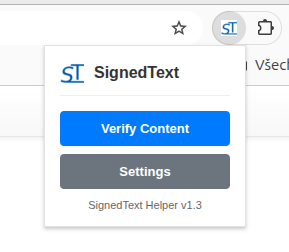
3. Done!
The extension is now active. Return to the SignedText page and refresh it (F5) / (Ctrl+R).
4. API Token settings (optional)
To verify user identity in the extension, you need to set up an API token.
Create a token in section: API Token Management. Paste it into the extension settings (right-click the extension icon -> Options).
The token is only needed for verifying signatures via the extension. Functions for signedtext.com work without a token.